Skip to content
Smedja

Who you should call today is already in your CRM.

I make sure your sales team sees it every morning, in the inbox or on the phone. Which customers need attention, and the reason for each one. It runs on top of the CRM and order data you already have, so nothing new gets added.

You will hear from me within one working day.

Home screen of the sales app on a phone, with a list of signals on test data: three salons behind on yearly budget
FIG. 1 · SALES APP FOR ONE SALES REP · SIGNALS ON THE HOME SCREEN · DEMO DATA
Alex Reinholdsson

Alex Reinholdsson. I build it myself.

  • I built a sales app for a sales rep in cosmetics. Every morning she sees who is behind on budget and who has gone too long without a visit.
  • I built the site and the vacancy system of TFR Recruitment, and I still maintain it.
  • I build and run CreatorScope, my own software for YouTube creators. It is live at creatorscope.studio.

Sound familiar?

  • The Excel sheet has quietly become your customer database.
  • You only find out a regular has been ordering less for two months when the quarterly numbers come in.
  • The CRM gets updated because it has to be, not because anyone gets anything out of it.
  • Every week someone retypes data from one system into another.
  • Invoices and receipts arrive by email, and someone sorts them out by hand.
  • There is a package that almost fits, with three side lists to cover the gap.

None of these ring a bell? Then you probably do not need custom software. I will tell you that as well.

Work that runs today

Everything below is real and in use. Where it says demo data, the screen shows test data, not real customers.

  1. NO. 02 · SALES APP · FOR ONE SALES REP · IN USE SINCE APRIL 2026 · AR

    A sales rep kept 30 to 60 salons on paper and in loose lists. Now it all sits in one app on her phone, and the app tells her who is behind on budget and who has gone too long without a visit.
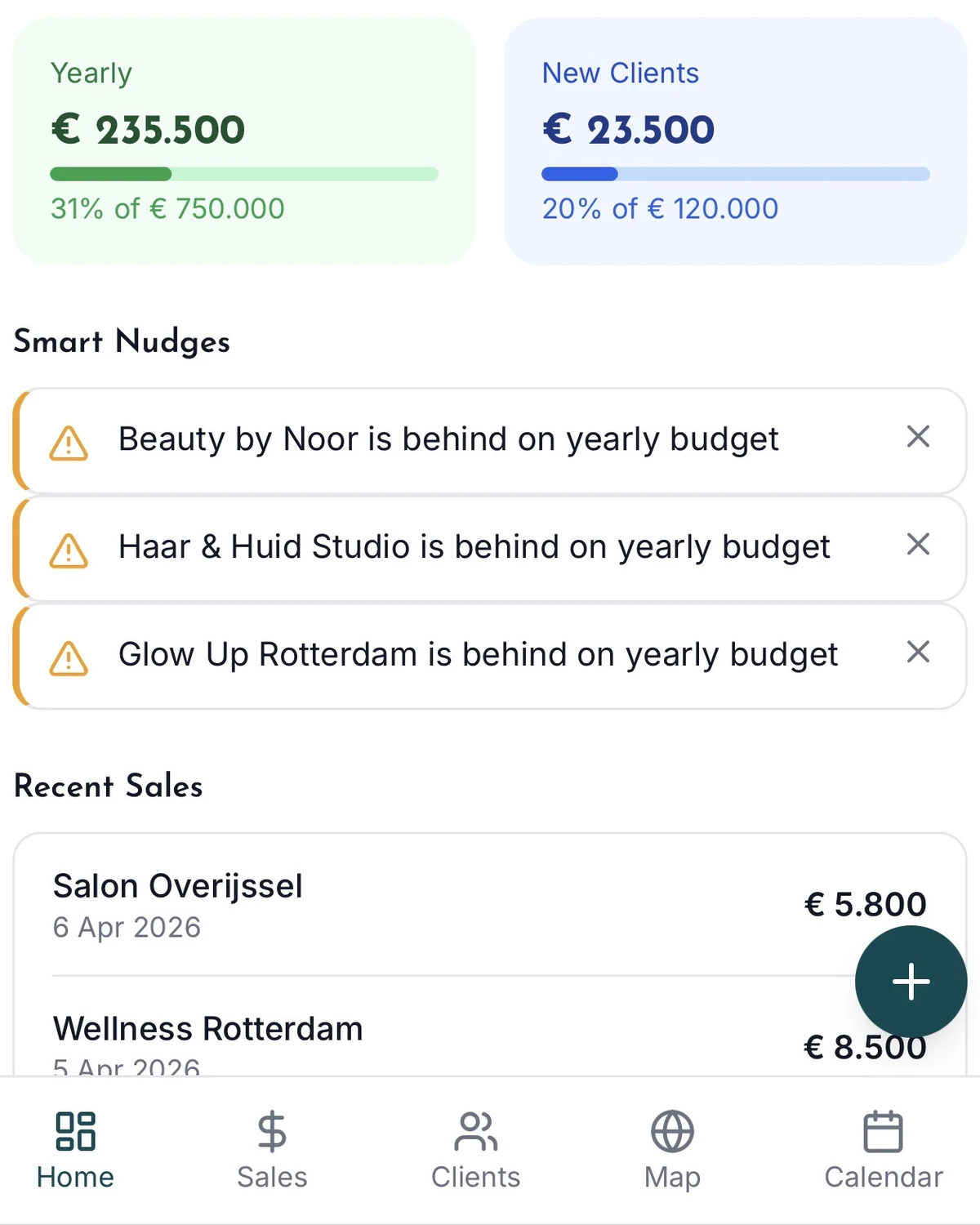
    • Home screen of the sales app on a phone, with a list of signals on test data: three salons behind on yearly budget (screen with test data)
      FIG. 2 · HOME SCREEN WITH SIGNALS · DEMO DATA
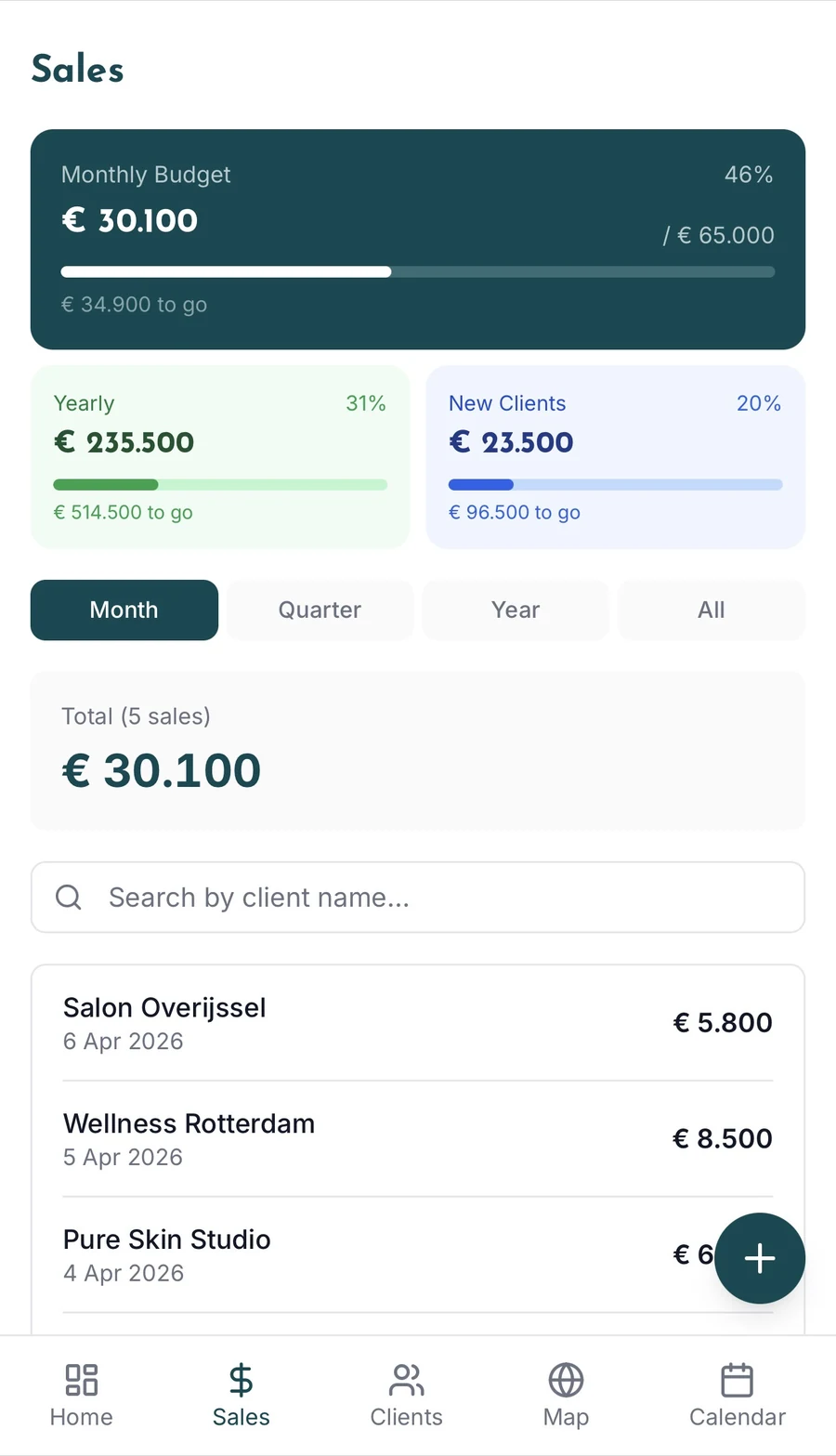
    • Sales screen of the sales app with sales per month against budget, on test data (screen with test data)
      FIG. 3 · SALES AGAINST BUDGET · DEMO DATA
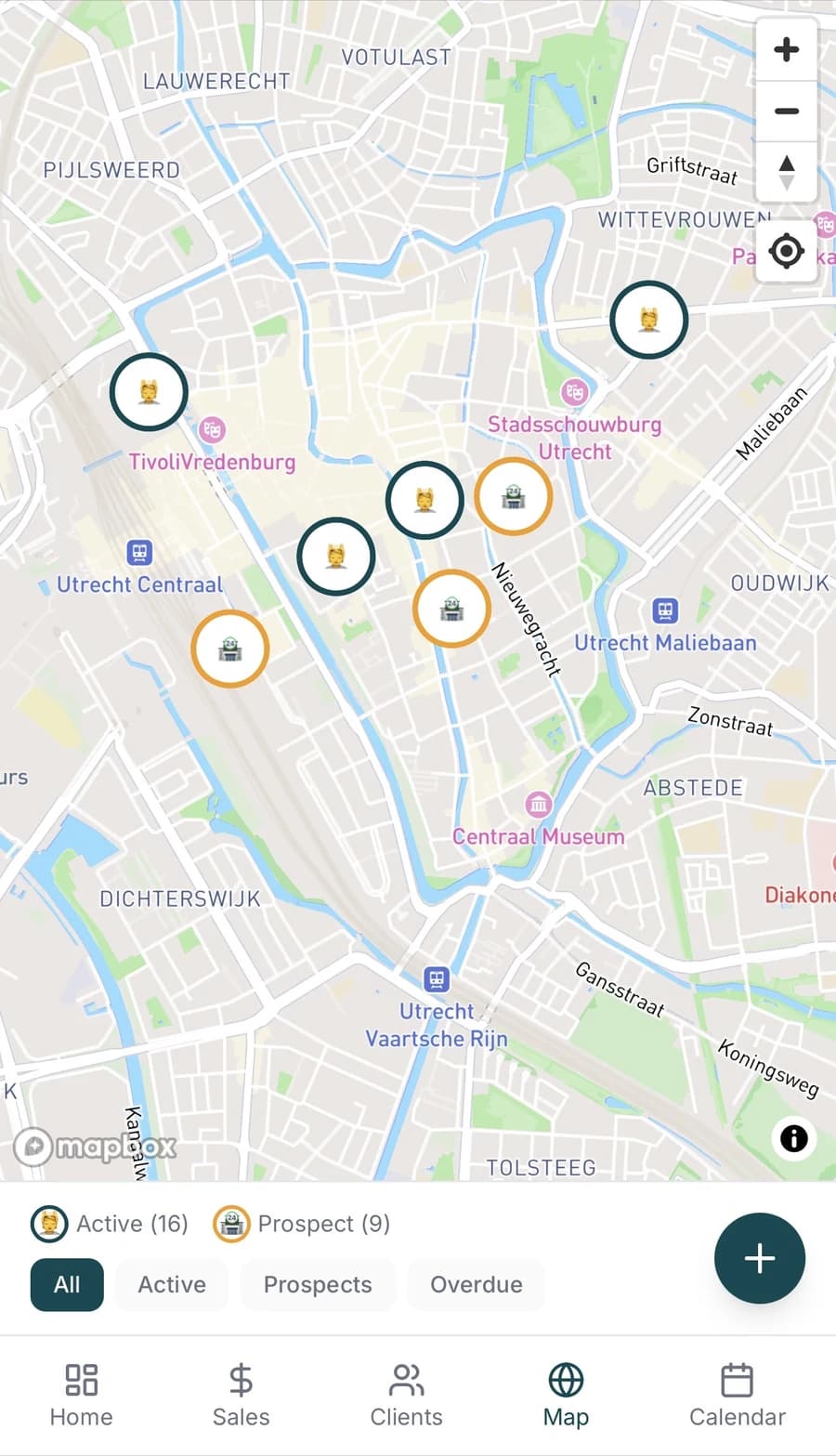
    • Map screen of the sales app with client locations as pins on a map, on test data (screen with test data)
      FIG. 4 · MAP OF CLIENTS · DEMO DATA
    Replaces
    Paper and loose lists.
    Who uses it
    One sales rep in cosmetics, every working day.
    Reads and writes in
    Its own database. A calendar feed for Google, Apple and Outlook.
    From start to in use
    7 and 8 April 2026.
  2. NO. 03 · TFR RECRUITMENT · FOR A CLIENT · LIVE SINCE APRIL 2026 · MAINTAINED · AR

    Vacancies, applications with a CV and requests from employers land in one place, and the TFR team puts new vacancies online themselves.

    • Search bar and filters of the vacancy overview on tfrrecruitment.nl, with the first vacancy next to them
      FIG. 5 · SEARCH AND FILTER VACANCIES ON TFRRECRUITMENT.NL
    • The header of a vacancy on tfrrecruitment.nl on a phone: job title, place, salary and hours
      FIG. 6 · HEADER OF A VACANCY ON A PHONE
    • The application form on tfrrecruitment.nl: CV upload and the Apply now button
      FIG. 7 · APPLYING WITH A CV UPLOAD
    Replaces
    A WordPress site.
    Who uses it
    The team at TFR Recruitment, and the tradespeople and employers who get in touch.
    Reads and writes in
    Its own database. An email for every application, request and appointment.
    From start to live
    Started 7 April 2026, live in April 2026. Last update: 23 September 2026.
  3. NO. 05 · LEDGERBOX · OWN PRODUCT · IN USE SINCE JULY 2026 · AR

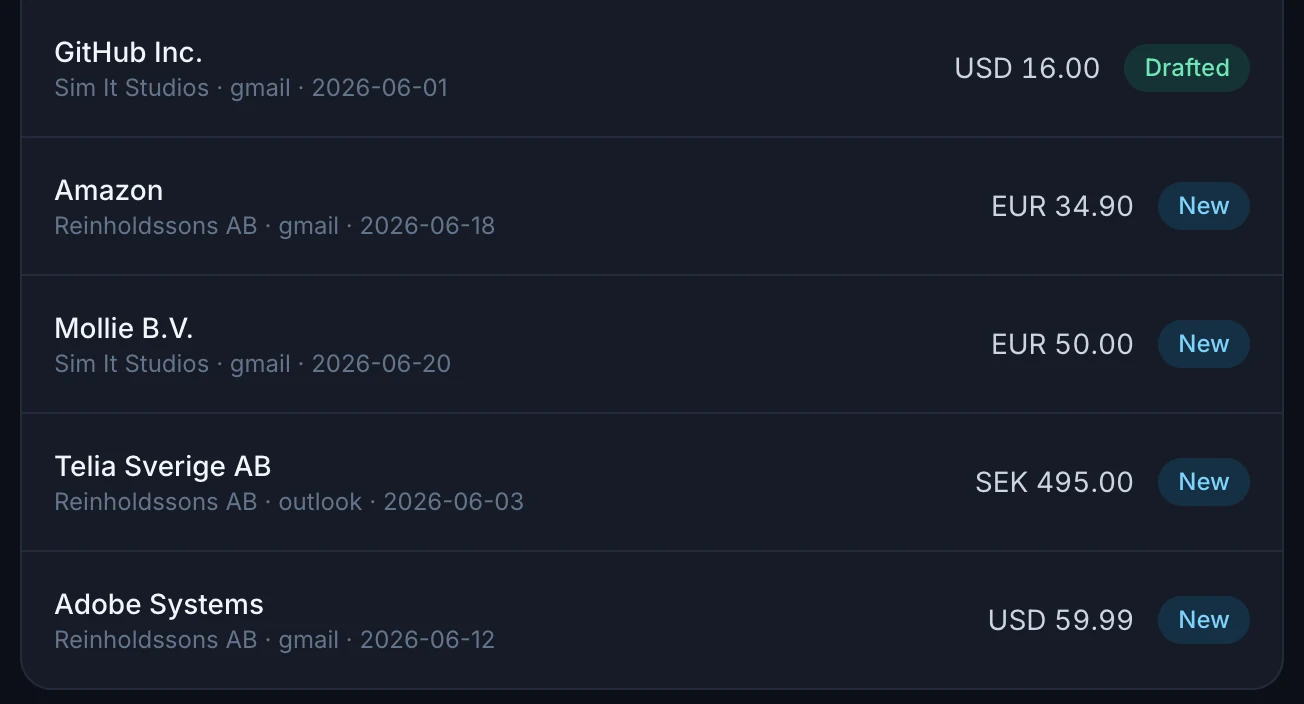
    Every month I dug invoices and receipts out of Gmail and Outlook by hand. Now an email to my accountant sits ready in Outlook for every invoice. All I do is press send.

    • Ledgerbox with a list of invoices found in Gmail and Outlook, on test data (screen with test data)
      FIG. 8 · INVOICES FOUND · DEMO DATA
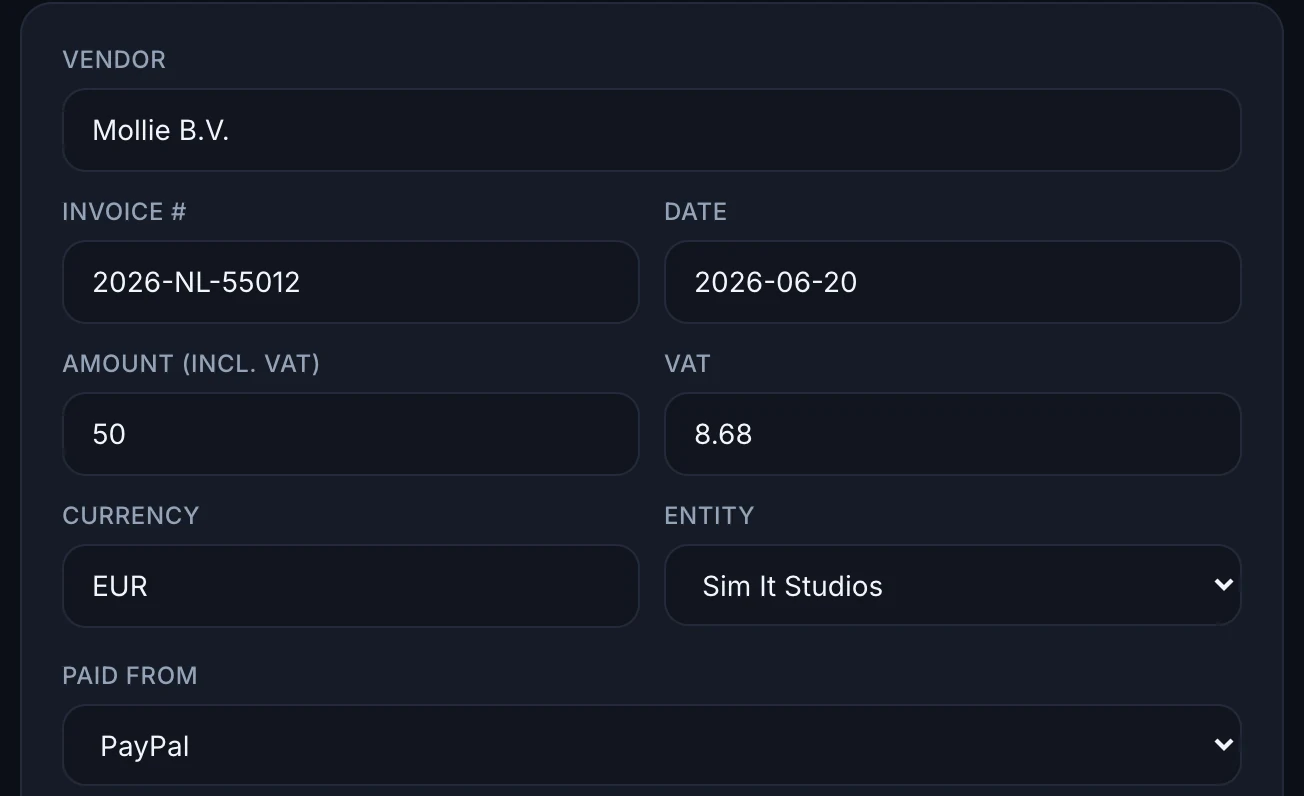
    • An extracted invoice in Ledgerbox with supplier, amount in euros and payment source, on test data (screen with test data)
      FIG. 9 · EXTRACTED INVOICE, PAYMENT SOURCE AND EURO AMOUNT · DEMO DATA
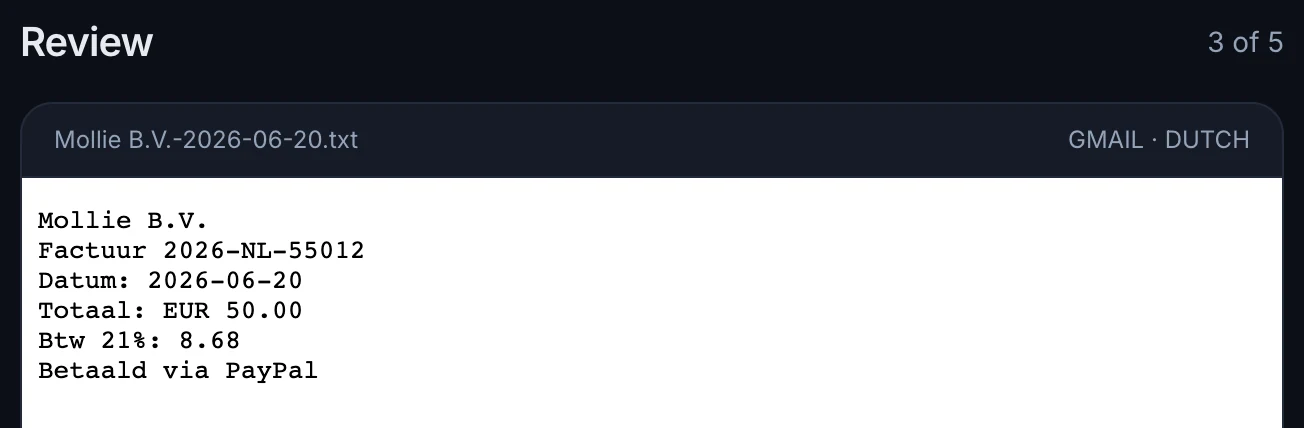
    • The same invoice as it arrived by email, as plain text in Gmail, on test data (screen with test data)
      FIG. 10 · THE INVOICE AS IT ARRIVED · DEMO DATA
    Replaces
    Manual searching in two mailboxes.
    Who uses it
    Me, for my own company.
    Reads and writes in
    Reads Gmail and Outlook. Writes drafts in Outlook.
    From start to live
    28 June to 2 July 2026.
  4. NO. 09 · RACE CONTROL · OWN TEAM · LIVE SINCE SEPTEMBER 2026 · AR

    My racing team handled sign-ups, standings and stint planning in scattered messages and spreadsheets. Now a Discord bot does it, in the channel where the team already is.

    • Stint plan for one car in Race Control: a safety car since 09:33 and the note that later stints move with it; driver names blurred (screen with test data)
      FIG. 11 · STINT PLAN WITH A SAFETY CAR · NAMES BLURRED · DEMO DATA
    • The team goal in Race Control: 23 of 120 official races this round, with the next event and the ranks below it (screen with test data)
      FIG. 12 · TEAM GOAL FOR THE ROUND · DEMO DATA
    • One car's stints on a timeline in Race Control, with who is driving now and when the next swap is; driver names blurred (screen with test data)
      FIG. 13 · ONE CAR'S STINTS ON THE TIMELINE · NAMES BLURRED · DEMO DATA
    Replaces
    Scattered messages and spreadsheets.
    Who uses it
    About thirty drivers of Sim It eSports Racing.
    Reads and writes in
    Discord. Reads lap times from Garage 61 and result files from Le Mans Ultimate.
    From plan to live
    9 to 11 September 2026.

My own software

NO. 04 · CREATORSCOPE · OWN PRODUCT · LIVE SINCE MAY 2026 · AR

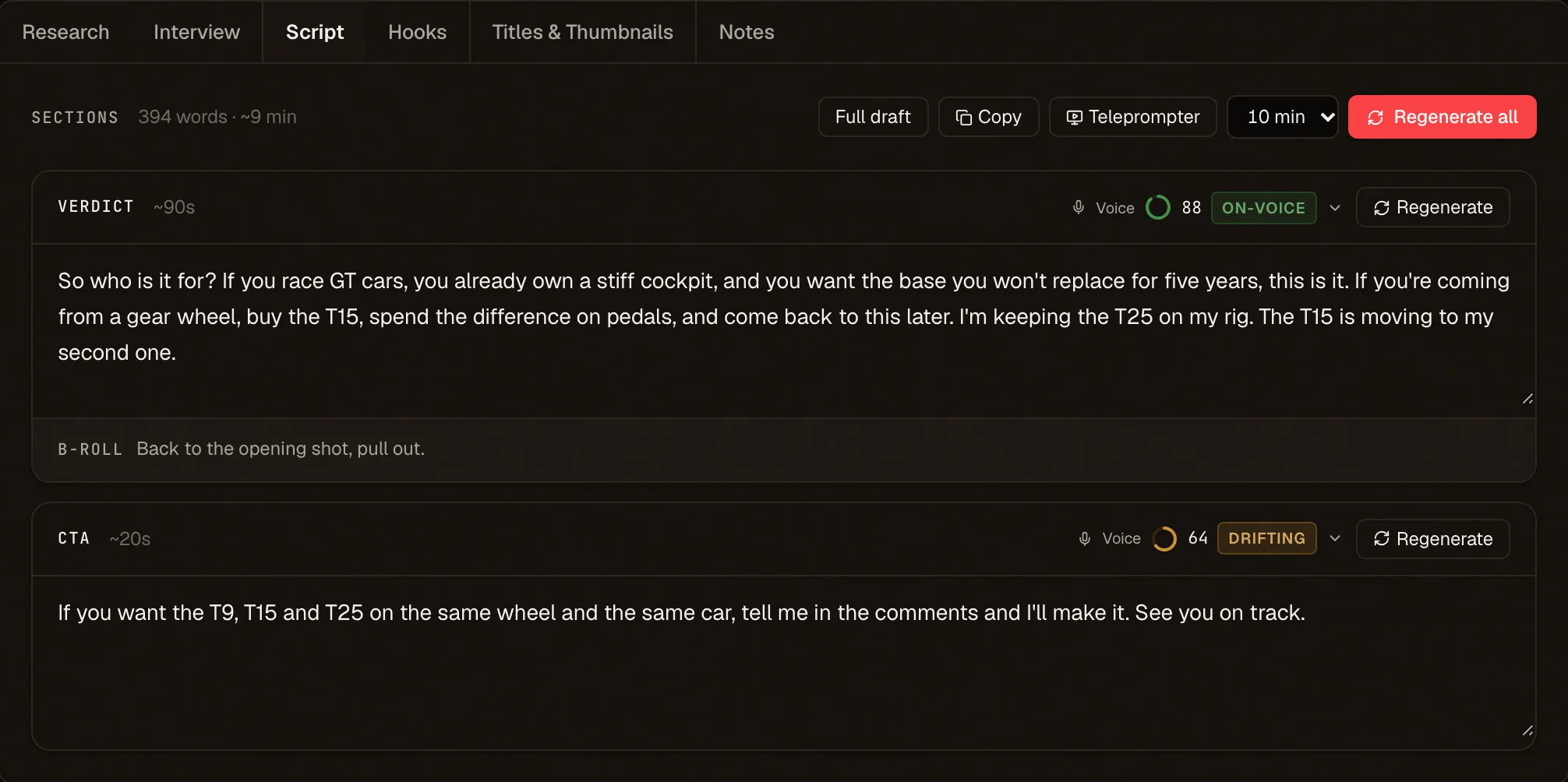
CreatorScope writes video scripts in the creator's own voice, learned from their earlier videos, and tracks every video from idea to published. Live at creatorscope.studio since May 2026. Ledgerbox and Race Control above are mine too. That is how I find out myself what it costs to keep something running every day.

The CreatorScope script editor with a per-paragraph check on whether the text sounds like the creator, on a demo channel
FIG. 14 · SCRIPT EDITOR WITH VOICE CHECK · DEMO CHANNEL

Systems I have already built on: Gmail, Outlook and Microsoft 365, Google Calendar, Shopify, Stripe, Discord, YouTube, Circle, Apollo, LinkedIn, DaVinci Resolve. Your CRM not on the list? If it has an API or an export, I read it in the first week.

All the work

How I work

  1. 01

    The process first, the technology second. I start by looking at how you work today. Sometimes the answer is a setting in a package you already have, and then I say so.

  2. 02

    In use within a few weeks, not in six months. That holds for most projects. Bigger ones get their own plan, agreed up front. AI saves me time writing code. That time goes into testing and into properly understanding your process.

  3. 03

    It runs on what you already have. Your CRM, your email, your calendar. Your team only gets an extra login when there is truly no other way.

  4. 04

    You talk to the person who builds it. There is no account manager in between, and when something breaks, you call me.

  5. 05

    The code is in your name. Code and accounts belong to your company from day one. If you stop working with me, any other developer can carry on.

  6. 06

    Building, running and extending are priced separately. So you see at once what is one-off and what comes back every month.

Alex Reinholdsson in his studio

You talk to the person who builds it.

I am Alex Reinholdsson. Swedish, and I live and work in the Netherlands. I spent sixteen years in sales before I started building software, so I know what a CRM looks like when nobody keeps it up.

Most of it I build myself, with a small number of clients at a time. If a project calls for a specialist, I bring one in, and you know that up front. There is no account manager in between, and when something breaks, you call me.

Alongside client work I build and run my own software, such as CreatorScope and Ledgerbox. That is how I find out myself what it costs to keep something running every day.

I also film and race. That lives at reinholdssons.com.

  • CreatorScopeLive
  • LedgerboxIn use
  • Race ControlLive

From first call to daily use

Is it a fit?

Usually for companies of around 20 to 250 people, with one process that costs too much time and data that already sits in a system somewhere. Does an off-the-shelf package already do it? Then I say so.

Read how I work, what it costs and who owns what
  1. 1

    First call

    How long30 minutes

    What you have afterwardsYou show me one process that takes too much time today. Afterwards you get an honest answer on whether custom software makes sense.

    What I need from youNothing to prepare.

  2. 2

    Proposal

    How longWithin a few working days

    What you have afterwardsWhat I build, what the build costs and what it costs per month to run. On paper, before anything happens.

    What I need from youAccess to the system, or an export.

  3. 3

    First version

    How long1 to 2 weeks for most projects

    What you have afterwardsA working version on a copy of your own data. Your team tries it, I adjust it. Bigger or more complex? Then we agree a plan of its own up front.

    What I need from youOne fixed contact person and about an hour a week to test.

  4. 4

    In use and onwards

    How longAfter that

    What you have afterwardsLive, with a short guide and a handover. I keep it running, and we build on if you want to.

    What I need from youTell me what could be better.

What it costs, in three separate lines

I only name an amount once I know what has to be built. How it is structured, I can tell you now.

What sets the amount

How many systems need connecting, how clean your data is today, how many people use it and with which rights, and whether it has to run on your own servers. One awkward integration can cost more than a big but simple project.

  1. One-off

    Building

    A fixed price per phase, on paper up front. Nothing is invoiced before you approve.

  2. Per month

    Running

    Hosting, AI usage, monitoring and small repairs. The amount grows with the number of users and with how much goes through the system.

  3. Per month or per job

    Extending

    New wishes once it is running. Kept apart from running, so you decide how much.

When you get a number

After the first call, on paper. Term and notice period are in it, in black and white.

Show me one process that costs you time.

Half an hour, online or at your office. Nothing to prepare, and you are not tied to anything.

Who
Alex ReinholdssonAlex Reinholdsson
Reply
Within one working day